
MoxKit Dashboard: Widgets, Extensions and System Info
Updated · MoxKit 1.4.4 · Download free on WordPress.org
The MoxKit dashboard is where you switch widgets and extensions on or off, see system information and read the changelog. Open it from the MoxKit item in the WordPress admin menu. Only administrators can see it.
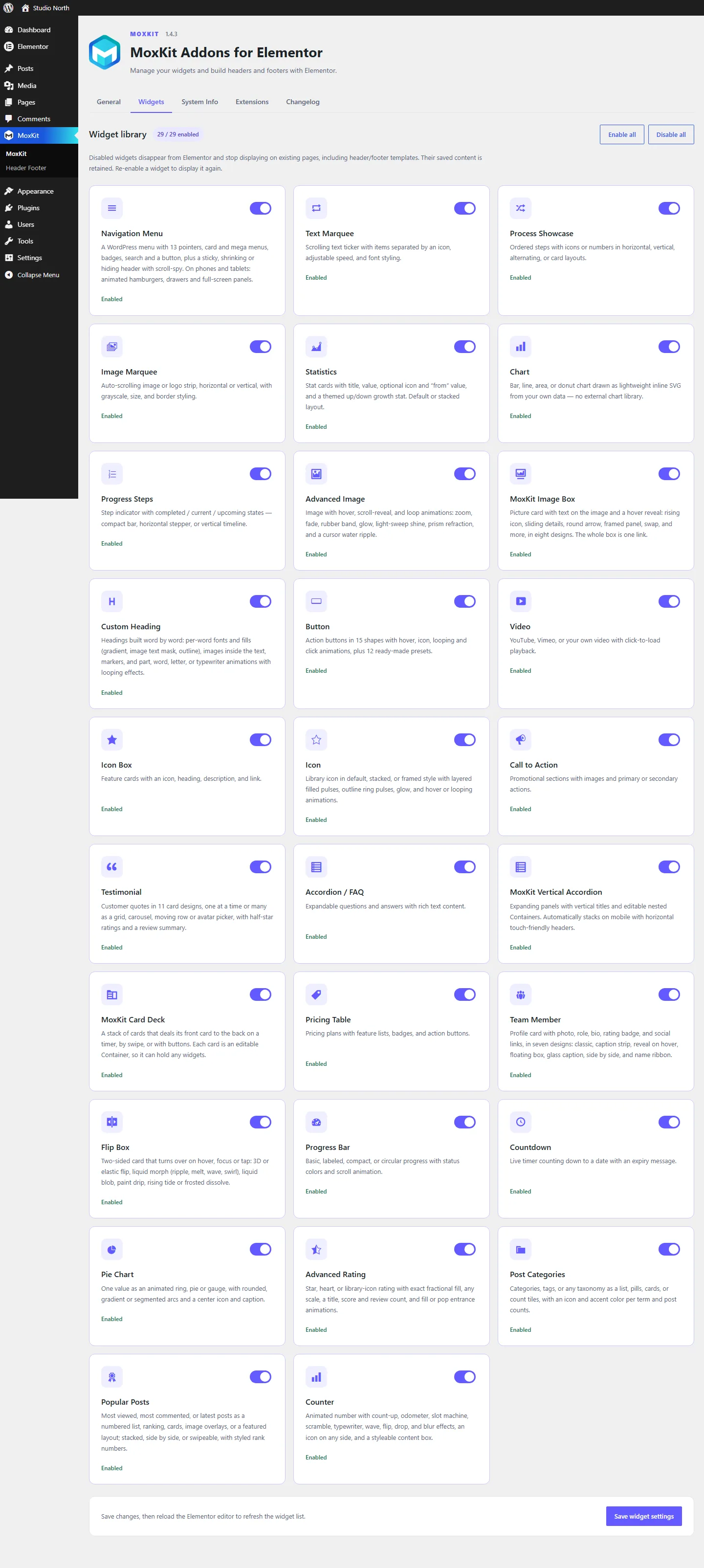
Table of contents
MoxKit dashboard: General tab
The General tab links to the three main tasks: choosing widgets, building your navigation (a WordPress menu shown with the Navigation Menu widget) and creating headers and footers.
Widgets tab
Every widget has a switch with a short description. Turn off the widgets you do not use and click Save. Disabled widgets are not registered in Elementor and load no CSS or JavaScript. New widgets added in updates are on by default.
Every widget you can switch
| Widget | What it does |
|---|---|
| Navigation Menu | Build a responsive Elementor navigation menu widget with 13 hover pointers, card and mega submenus, a sticky header and mobile off-canvas panels. Free. |
| Custom Heading | Build an Elementor animated heading word by word: gradient and image text, outline, brush and highlight markers, images in the text and 13 entrance effects. |
| Button | Design buttons with 12 presets, 15 shapes and 16 Elementor button hover effects: sweep, bloom, roll, wave, shine, magnetic, plus icon and click animations. |
| Text Marquee | Add a smooth, seamless scrolling ticker with the free Elementor text marquee widget: icon separators, direction, speed, pause on hover and full typography. |
| Icon | Make icons stand out with the Elementor animated icon widget: default, stacked or framed views, filled pulses, ring pulses, glow and 8 looping animations. |
| Icon Box | Create feature cards with the Elementor icon box widget: library icon on top, left or right, title, description and link, with full card styling. Free. |
| Call to Action | Build a high-converting section with the free Elementor call to action widget: eyebrow, title, text, image left, right or top, and two buttons. |
| Advanced Image | Add Elementor image hover effects, scroll reveals and loop animations: zoom, shine, prism, water ripple, wipe, iris, blinds, brush, liquid swirl and more. |
| Image Box | Create clickable picture cards with the Elementor image box widget: 8 hover designs, text on the image, badge, icon, button, and the whole box as one link. |
| Image Marquee | Create an infinite Elementor logo carousel or photo strip with the Image Marquee widget: horizontal, vertical or arc shape, grayscale and pause on hover. |
| Video | Embed YouTube, Vimeo or self-hosted video with the privacy-friendly Elementor YouTube video widget: click-to-load cover, captions and player controls. |
| Flip Box | Create two-sided cards with the Elementor flip box widget: 3D or jelly flip, liquid morph, liquid blob, paint drip, rising tide or frosted dissolve. |
| Card Deck | Show content as Elementor stacked cards: a deck that deals its front card to the back on a timer, by swipe or with buttons. Every card is a Container. |
| Testimonial | Show reviews with the Elementor testimonial widget: 11 card designs, grid, carousel, moving row or avatar picker, half-star ratings and a rating summary. |
| Team Member | Introduce your people with the Elementor team member widget: 7 designs (classic, strip, reveal, float, glass, side, ribbon), rating badge and social links. |
| Pricing Table | Present plans with the free Elementor pricing table widget: price, currency, period, sale price, badge, included and excluded features, button and footnote. |
| Accordion / FAQ | Answer questions with the accessible Elementor FAQ accordion: native details markup, slide, zoom, blur and 3D animations, plus/chevron or custom icons. |
| Vertical Accordion | Create expanding panels with the Elementor vertical accordion: vertical titles, five designs, editable nested Containers and automatic mobile stacking. |
| Process Showcase | Show how you work with the Elementor process steps widget: horizontal, vertical, alternating or card layouts, icon or number markers and animated connectors. |
| Progress Steps | Show where a visitor is in a process with the Elementor progress steps widget: compact bar, horizontal stepper or vertical timeline with completed states. |
| Chart | Draw bar, line, area and donut charts with the free Elementor chart widget. Lightweight inline SVG, no chart library, with labels, legend and animations. |
| Pie Chart | Show one value with the Elementor pie chart widget: animated ring, full pie, half or three-quarter gauge, rounded, gradient or segmented arcs and a center icon. |
| Progress Bar | Show skills and goals with the Elementor progress bar widget: basic, labeled, compact or circular layouts, status colors and scroll animation. |
| Statistics | Show KPIs with the free Elementor statistics widget: stat cards with icon, value, a "from" value and up or down growth, in default or stacked layouts. |
| Counter | Make numbers pop with the Elementor animated counter: count up, odometer, slot machine, scramble, typewriter, wave, flip, drop and blur effects. |
| Countdown | Add urgency with the free Elementor countdown timer: days, hours, minutes and seconds to any date, labels, styled boxes and a message when it ends. |
| Advanced Rating | Display scores with the Elementor star rating widget: stars, hearts, circles or any icon, 1–10 scale, exact or half fill, score formats and review count. |
| Post Categories | Show blog categories or tags with the Elementor post categories widget: list, pills, cards or count tiles, icons and colors per term and post counts. |
| Popular Posts | Rank your best content with the Elementor popular posts widget: most viewed, most commented or latest posts as a list, ranking, cards, overlay or featured. |
Extensions tab
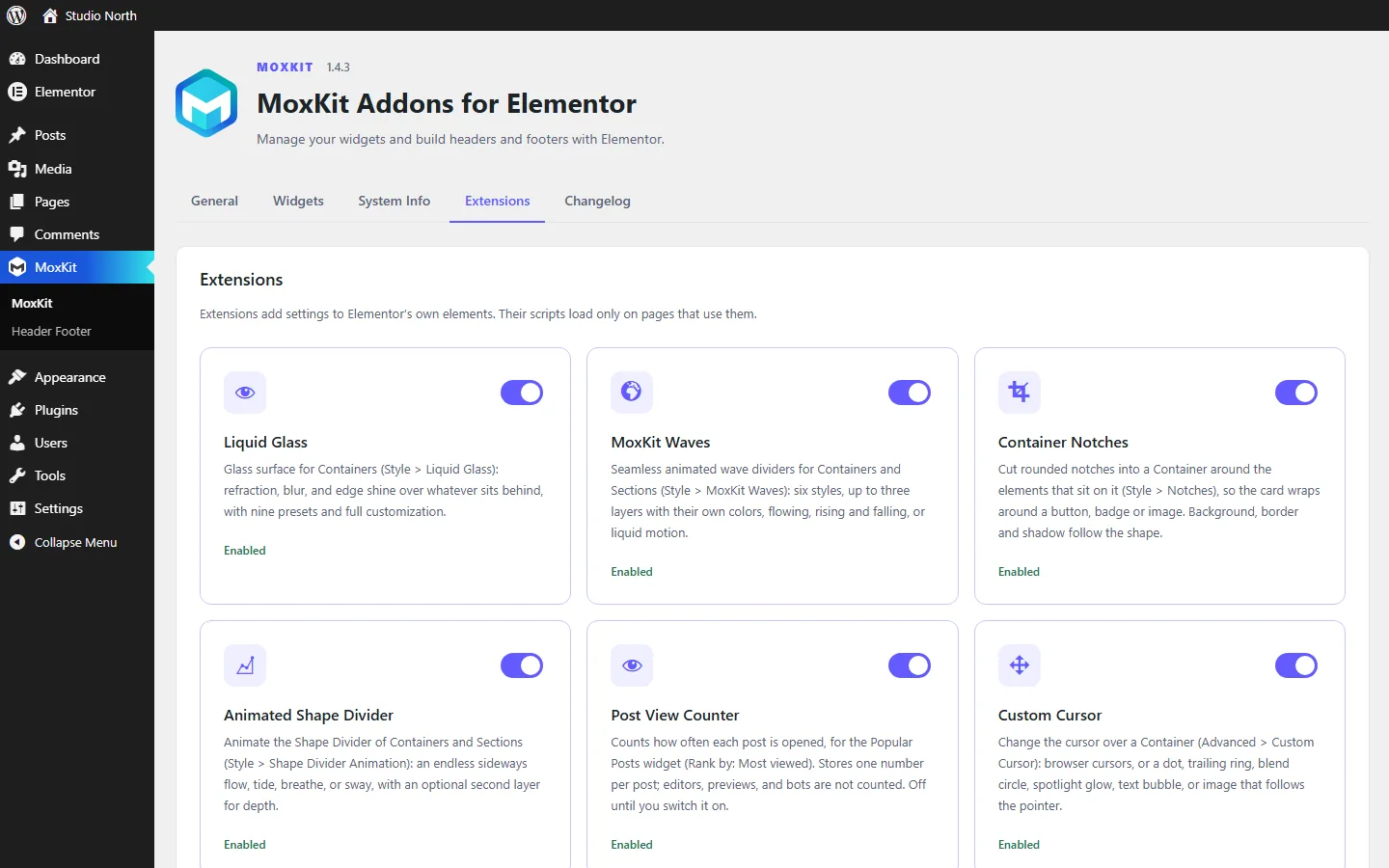
Switch the 6 extensions on or off: Liquid Glass, MoxKit Waves, Container Notches, Animated Shape Divider, Post View Counter (off by default) and Custom Cursor. When an extension is off, its settings disappear from the Elementor editor and its script never loads.
| Extension | Where to find it |
|---|---|
| Liquid Glass | Container > Style > Liquid Glass |
| MoxKit Waves | Container or Section > Style > MoxKit Waves |
| Container Notches | Container > Style > Notches |
| Animated Shape Divider | Container or Section > Style > Shape Divider Animation |
| Custom Cursor | Container > Advanced > Custom Cursor |
| Post View Counter | MoxKit > Extensions |
System Info tab
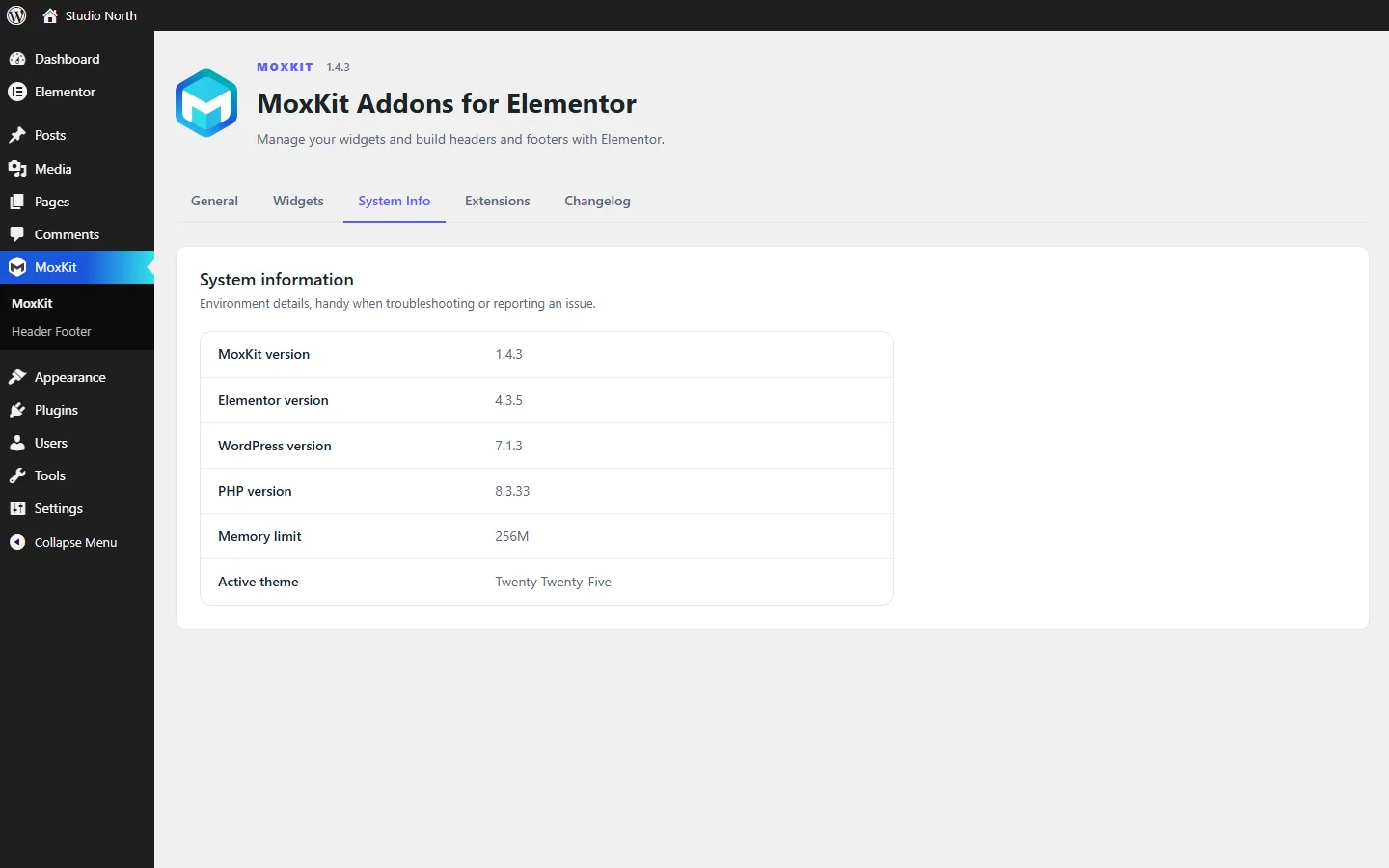
Shows the MoxKit, Elementor, WordPress and PHP versions, the PHP memory limit and the active theme. Copy these details when you ask for support in the MoxKit support forum.
Changelog tab
Lists what changed in each version. The same list is on the changelog page.
Dashboard FAQ
Does disabling a widget remove it from my pages?
A disabled widget is no longer registered, so Elementor shows it as missing where it was used. Turn it back on and the content returns.
Where are the extension settings?
The switches are in MoxKit > Extensions. The settings for each extension appear in the Elementor editor on Containers (Style or Advanced tab).