
Elementor Addon Troubleshooting for MoxKit
Updated · MoxKit 1.4.4 · Download free on WordPress.org
This Elementor addon troubleshooting guide covers the problems MoxKit users report most, with the fix for each. Start with the first section if your site shows a critical error.
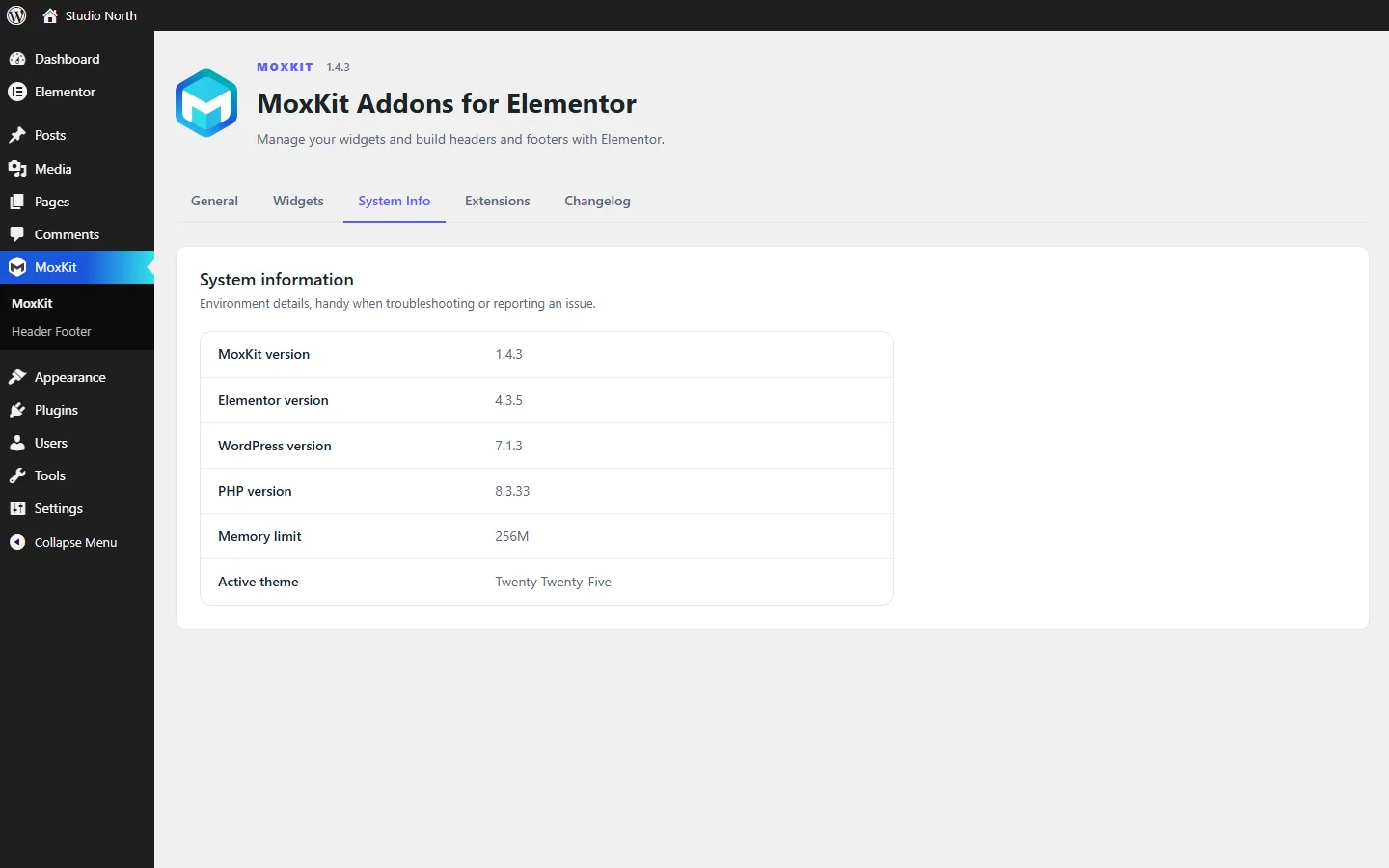
Table of contents
- Troubleshooting checklist
- The site shows "There has been a critical error" after updating
- A widget is missing from the Elementor panel
- Changes do not show, or the page looks unstyled
- The MoxKit header or footer does not appear
- Clicking a parent menu item opens a page instead of the submenu
- Popular Posts shows no views
- Liquid Glass looks frosted instead of refracted
- The video does not play straight away
- The custom cursor does not show on my phone
- The Elementor editor loads slowly
- Something broke after installing another plugin
- Animations do not play for some visitors
- How to find the exact error message
- FAQ
Elementor addon troubleshooting checklist
- Update WordPress, Elementor and MoxKit to the latest versions.
- Clear your page cache, CDN cache and Elementor's CSS (Elementor > Tools > Regenerate CSS & Data).
- Check MoxKit > System Info: PHP 7.4 or newer and Elementor 3.25 or newer.
- Turn on the WordPress debug log to read the exact error (see the last section).
The site shows "There has been a critical error" after updating
Version 1.4.2 on WordPress.org was published with missing files, which caused this error on every page. Update to MoxKit 1.4.4 or newer. If you cannot reach the dashboard, delete the folder wp-content/plugins/moxkit-addons-for-elementor by FTP or your host's file manager, then install the latest version again. Your content and templates are kept. Since 1.4.3 a missing file makes MoxKit skip that widget or extension instead of stopping the site.
Need help with an error? Copy the details from MoxKit > System Info and post them in the support forum.
A widget is missing from the Elementor panel
Check that the widget is switched on under MoxKit > Widgets. Card Deck and Vertical Accordion use Elementor's nested elements; they appear only when that feature is active (it is on by default in current Elementor).
Changes do not show, or the page looks unstyled
Clear your caching plugin and CDN cache, then go to Elementor > Tools > Regenerate CSS & Data. MoxKit clears Elementor's cache once after every update, but a page cache can still serve old files.
The MoxKit header or footer does not appear
The page must use the MoxKit Full Width layout (Page > Template), and the template must be published with a display rule that matches the page. Posts and archives always use the theme header.
Clicking a parent menu item opens a page instead of the submenu
Since 1.4.3 a parent with its own URL opens that URL, and the arrow opens the submenu. To open the submenu on click, set Submenu > Clicking a parent item to Opens the submenu, or use # as the parent's URL.
Popular Posts shows no views
Turn on the Post View Counter under MoxKit > Extensions. Views from logged-in editors, previews and bots are not counted. Pages served from a full-page cache never reach WordPress; use a caching-aware counter plugin and enter its custom field in the widget.
Liquid Glass looks frosted instead of refracted
The refraction lens works in Chrome and Edge. Safari and Firefox show the frosted fallback by design. Also check On tablet & mobile, which can be set to Frost or Off.
The video does not play straight away
With Load only after click on, the player loads when the visitor presses Play. That is the privacy mode. Autoplay requires Muted to be on, because browsers block autoplay with sound.
The custom cursor does not show on my phone
Touch screens have no pointer, so Custom Cursor is ignored there by design.
The Elementor editor loads slowly
Switch off the MoxKit widgets you do not use under MoxKit > Widgets; they are then not registered in the editor at all. Also check the PHP memory limit under MoxKit > System Info (256M or more is a good value for Elementor).
Something broke after installing another plugin
Deactivate the other plugins one by one (or use the Health Check & Troubleshooting plugin) to find the conflict. Switch to a default theme such as Twenty Twenty-Five to rule out the theme. Report the conflict in the support forum with both plugin names.
Animations do not play for some visitors
Visitors who turned on reduced motion in their operating system see MoxKit widgets without large animations. This is intentional for accessibility.
How to find the exact error message
- Add
define( 'WP_DEBUG', true );anddefine( 'WP_DEBUG_LOG', true );towp-config.php. - Reload the page that shows the problem.
- Open
wp-content/debug.logand look for lines that mentionmoxkit. - Remove the two lines again when you are done.
Troubleshooting FAQ
Is it safe to delete the MoxKit folder by FTP?
Yes. Your Elementor pages and MoxKit templates are stored in the database, not in the plugin folder. Install MoxKit again and they come back.