The Elementor testimonial widget shows one customer quote or many. A single quote fits next to a contact form; several quotes can be shown as a grid, a carousel, an endless moving row or an avatar picker where visitors click a face to read that review.
Widget name MoxKit Testimonial
Panel category MoxKit Addons
Settings 89+
Requires Elementor 3.25+ (free)
Price Free
Card designs: Classic, Photo, Header.Table of contents
Choose from 11 card designs, highlight key words with **double asterisks**, and add star ratings with exact, half or whole fill. A rating summary can show your overall score and a review-site logo.
Like every MoxKit widget, the Testimonial has Content and Style tabs with responsive settings, typography, colors and box styling, and it keeps Elementor's Advanced tab. You can switch it off under MoxKit > Widgets if you do not use it; a disabled widget loads no files.
Open the page in Elementor (Pages > Edit with Elementor).
In the widget panel, search for "Testimonial" or scroll to the MoxKit Addons category.
Drag the Testimonial widget into a Container.
Choose Show: Single or Multiple.
Fill in the quote, name, role and avatar (or the Testimonials list).
Under Design pick a card design and, for several quotes, a layout.
Optional: turn on the Rating summary.
Click Update (or Publish) to save the page.
Designs and examples
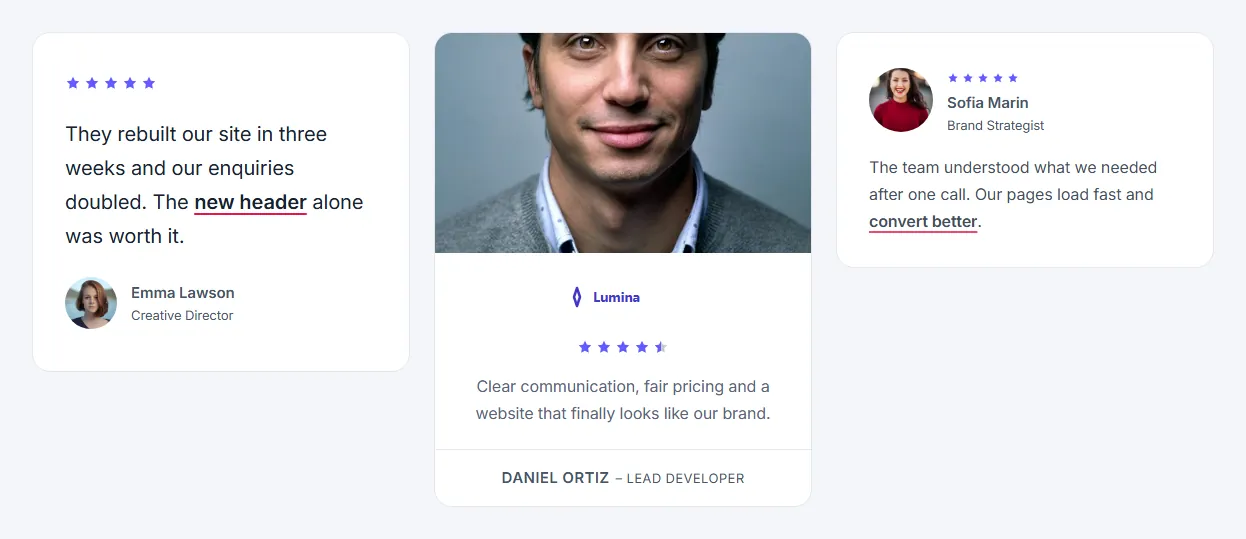
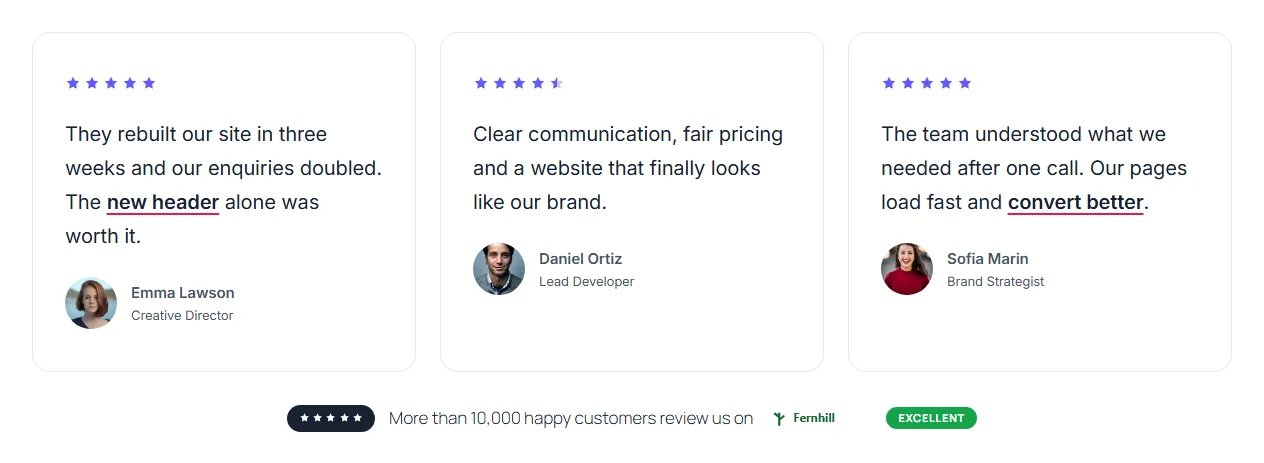
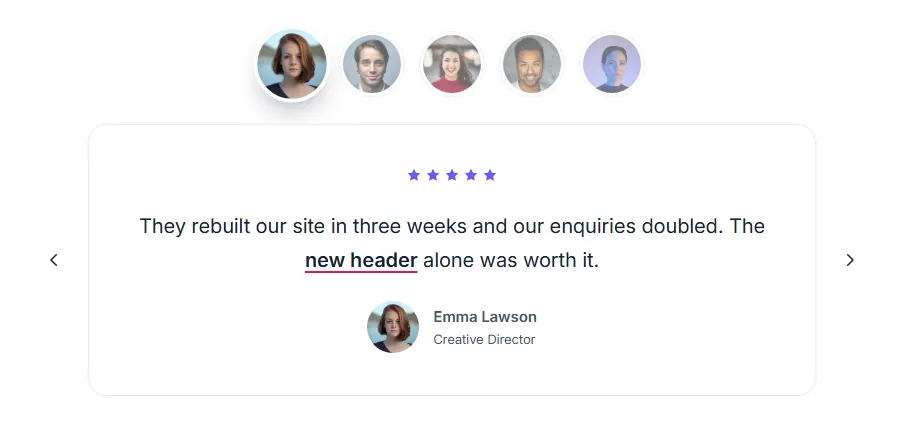
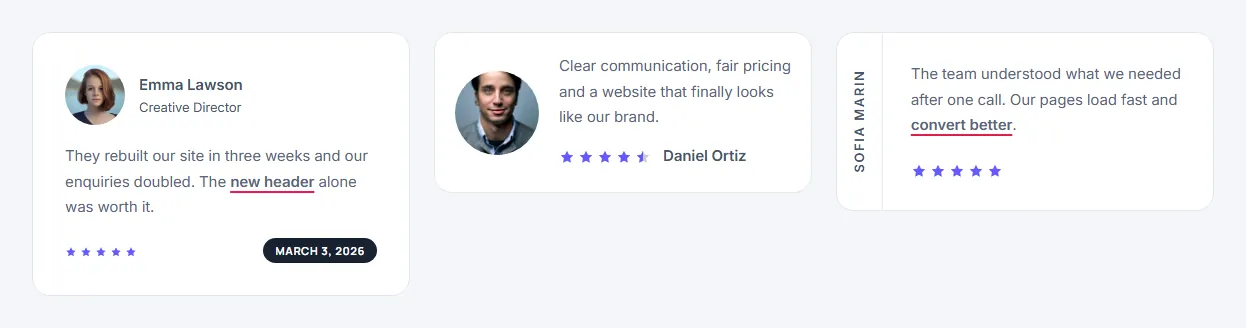
These screenshots were taken from a live WordPress site running MoxKit 1.4.4 and Elementor. They show the Testimonial with the settings described in each caption.
Several quotes as a grid with a rating summary.The Spotlight design: a large photo beside a big quote.The avatar picker layout: click a face to switch the quote.
The Content tab holds what the widget shows and how it behaves. It has 3 sections and about 39 settings. Settings marked per device can have a different value on desktop, tablet and mobile.
Testimonial
Setting
Type
Options and notes
Show
Select
One testimonial, Several testimonials (default: One testimonial)
Quote
Text area
Wrap words in **double asterisks** to highlight them.
Name
Text
Role / company
Text
Avatar
Image
Title
Text
Used by the "Stars, title" and "Large photo" designs.
Photo
Image
Used by the "Photo on top", "Polaroid" and "Large photo" designs.
Company logo
Image
Used by the "Photo on top" design.
Date
Text
Shown by the "Score and date" design, e.g. 26 Nov.
Photo caption
Text
Hand-written line under the Polaroid photo.
Show rating
Toggle
On / Off (default: On)
Rating
Number
Testimonials
List
Each item: Quote, Name, Role / company, Avatar, Title, Photo, Company logo, Date, Photo caption, Rating
Alignment per device
Choice
Left, Center, Right
Design
Setting
Type
Options and notes
Card design
Select
Classic: stars, quote, person, Photo on top, logo and quote, Avatar, stars and name on top, Stars, title, quote, person, Avatar beside the quote, Person with a score badge, Score and date at the bottom, Compact row, Name written vertically, Polaroid photo with a caption, Large photo with a rating card (default: Classic: stars, quote, person)
Rating look
Select
Stars, Stars in a pill, One star and the score (default: Stars)
Show the score number (4.5)
Toggle
On / Off
Star fill
Select
Round to half stars, Exact (4.3 fills 30% of the fifth star), Round to whole stars (default: Round to half stars)
Leave empty to show the filled icon in the empty color, or pick an outline version (such as a regular star).
Empty stars
Select
Solid, Outline (default: Solid)
Arrange several as
Select
Grid, Carousel with arrows, Endless moving row, One at a time, picked by avatar (default: Grid)
Columns per device
Select
1, 2, 3, 4 (default: 3)
Gap per device
Slider
Card width per device
Slider
Seconds per loop
Slider
Direction
Select
To the left, To the right (default: To the left)
Fade the edges
Toggle
On / Off (default: On)
Arrows
Toggle
On / Off (default: On)
Autoplay
Toggle
On / Off
Seconds per testimonial
Number
Rating summary
Setting
Type
Options and notes
Show a rating summary
Toggle
A line under the testimonials ("Rated 4.8 from 2,488 reviews on …"), or the card on the photo in the "Large photo" design. On / Off
Score
Text
Number of reviews
Text
Shown on the rating card of the "Large photo" design.
Label
Text
Text
Text area
Review site logo
Image
Link
Link
Elementor testimonial widget settings: Style tab
The Style tab controls the look of every part of the widget: 10 sections, about 50 settings. Elementor's own Advanced tab (margin, padding, motion effects, responsive visibility, custom CSS) is available as usual.
Quote
Setting
Type
Options and notes
Typography
Group
All the usual Elementor typography settings.
Color
Color
Bottom spacing per device
Slider
Name
Setting
Type
Options and notes
Typography
Group
All the usual Elementor typography settings.
Color
Color
Bottom spacing per device
Slider
Role
Setting
Type
Options and notes
Typography
Group
All the usual Elementor typography settings.
Color
Color
Bottom spacing per device
Slider
Title
Setting
Type
Options and notes
Typography
Group
All the usual Elementor typography settings.
Color
Color
Bottom spacing per device
Slider
Avatar
Setting
Type
Options and notes
Avatar size per device
Slider
Avatar radius per device
Slider
Rating
Setting
Type
Options and notes
Filled star color
Color
Empty star color
Color
Star size per device
Slider
Star spacing per device
Slider
Outline thickness
Slider
Space below per device
Slider
For designs where the stars sit above the text.
Score number
Typography
Group
All the usual Elementor typography settings.
Color
Color
Pill and badge
Background
Color
Stars in the pill, badge text
Color
Badge star
Color
Padding per device
Spacing
Border
Group
All the usual Elementor border settings.
Border radius per device
Spacing
Photo, logo, date and accents
Setting
Type
Options and notes
Photo height per device
Slider
Photo radius per device
Slider
Logo height
Slider
Date background
Color
Date text
Color
Accent (vertical name, highlights)
Color
Footer line
Color
Photo caption
Typography
Group
All the usual Elementor typography settings.
Caption color
Color
Arrows and avatars
Setting
Type
Options and notes
Arrow color
Color
Arrow background
Color
Arrow border
Color
Avatar picker size per device
Slider
Rating summary
Setting
Type
Options and notes
Text color
Color
Card background
Color
Label background
Color
Label text
Color
Card
Setting
Type
Options and notes
Background
Group
All the usual Elementor background settings.
Border
Group
All the usual Elementor border settings.
Box shadow
Group
All the usual Elementor box shadow settings.
Padding per device
Spacing
Border radius per device
Spacing
Tips and best practices
Use real names, roles and photos; they make reviews believable.
Wrap a few words in ** to highlight the most convincing part of the quote.
The Spotlight and Side designs need a wide column.
Testimonial FAQ
Can I show half stars?
Yes. Set Star fill to Half, or Exact for values like 4.7.
Can testimonials slide automatically?
Yes. Use the Carousel layout with Autoplay, or the Moving row layout for a continuous scroll.
Can I use my own star icon?
Yes. Set Star icon to Library and pick filled and empty icons.
Summary
The Elementor testimonial widget in MoxKit is free, works with the free version of Elementor and loads its files only on pages that use it. 11 card designs, grid, carousel, moving row or avatar picker, half-star ratings and a rating summary. Install MoxKit Addons for Elementor from WordPress.org, drag the Testimonial widget onto a page and start with the settings above.