
Elementor Header Footer Builder (Free, in MoxKit)
Updated · MoxKit 1.4.4 · Download free on WordPress.org
MoxKit includes a free Elementor header footer builder. Design headers and footers with Elementor, set where they appear, and assign them to pages that use the MoxKit Full Width layout. No Elementor Pro theme builder is needed.
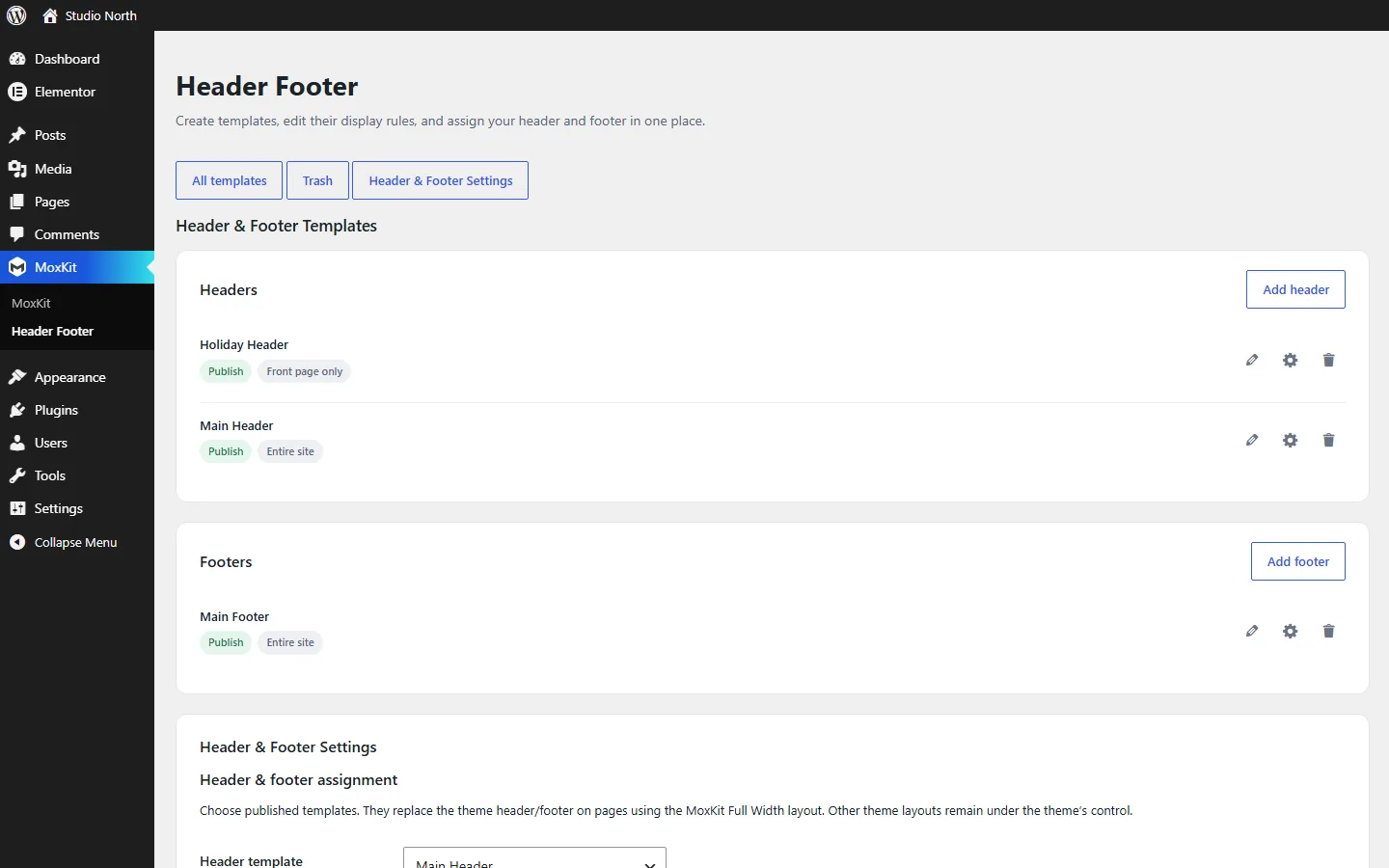
Table of contents
How the Elementor header footer builder works
- A template is an Elementor document of type Header, Footer or Section.
- Each template has a display rule: Entire site, Front page only or All pages.
- The Header & Footer Settings assign one header and one footer, or let MoxKit pick automatically.
- Pages that use the MoxKit Full Width layout show the assigned header and footer around the page content. MoxKit owns the page shell and does not load the theme's header.php or footer.php on those pages.
Create a header template
- Go to MoxKit > Header Footer.
- Click Add header. MoxKit creates the template and opens its edit screen.
- In the side box, check Template type (Header) and choose Display on: Entire site, Front page only or All pages. Publish the template.
- Click Edit with Elementor and build the header, for example a Container with your logo, the Navigation Menu widget and a Button.
- Click Publish in Elementor.
In the template list, the pencil icon opens a template in Elementor, the gear icon opens its settings (type and display rule) and the bin moves it to the trash.
Create a footer the same way with Add footer.
Assign the header and footer
Scroll to Header & Footer Settings on the same page.
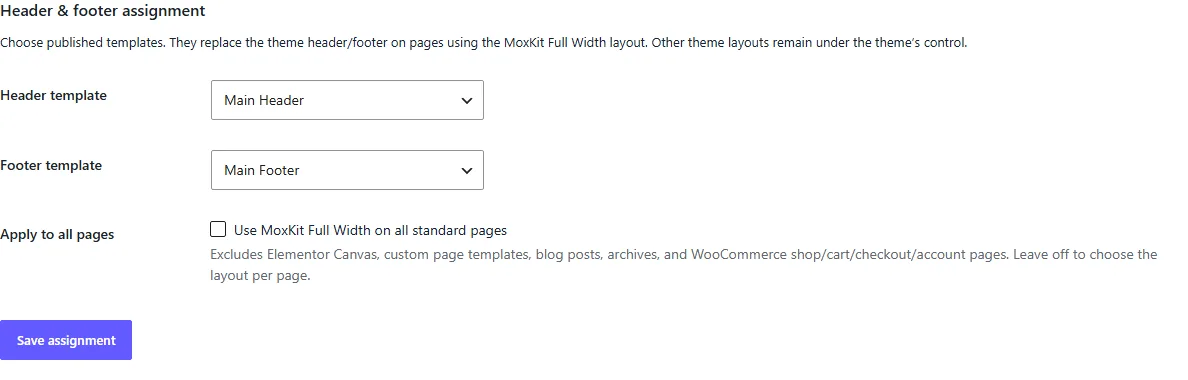
- Header template / Footer template: pick a published template, Automatic (the newest template whose display rule matches), or the simple fallback.
- Use MoxKit Full Width on all standard pages: applies the layout to every regular page automatically. Custom page templates, Elementor Canvas, posts, archives and WooCommerce special pages are excluded.
Use the MoxKit Full Width layout
- Edit the page in WordPress.
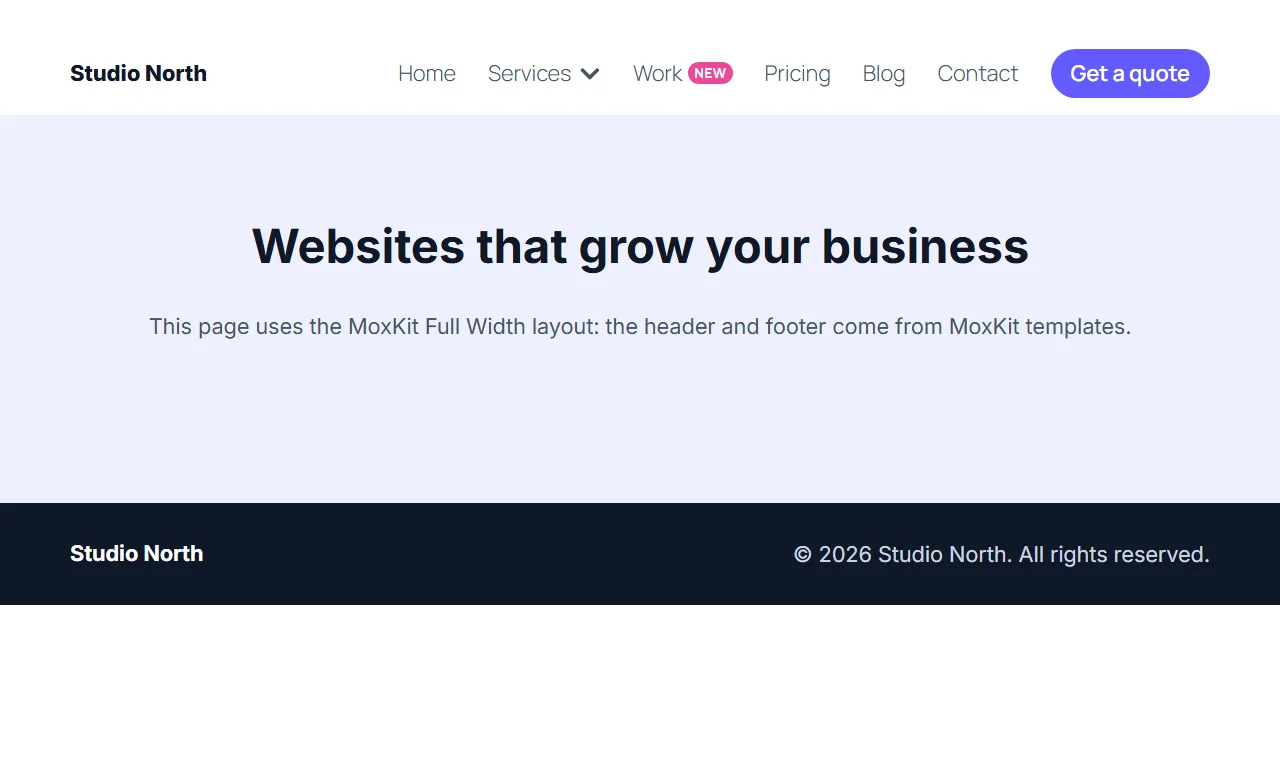
- In Page > Template choose MoxKit Full Width (or turn on the "all standard pages" option above).
- Update the page and view it.
Sticky and transparent headers
Turn on Header on scroll in the Navigation Menu widget inside your header template to make it sticky, shrinking or hiding on scroll down, transparent over the first section, with a reading progress bar. See the Navigation Menu settings.
Tips for better headers and footers
- Keep the header light: a logo, the menu and one button. Put secondary links in the footer.
- Use a transparent header only over a dark or colorful first section, and set the after-scrolling colors so the menu stays readable.
- Make a second header with the Front page only rule for a special home page header; the main header with Entire site covers the rest.
- Test the header on a phone: check the hamburger, the panel and the button.
- Use a Section template for blocks you reuse on many pages, such as a newsletter form.
Templates are regular Elementor documents, so everything in the Elementor help center about containers and widgets applies to them too.
What the header footer builder does not cover
The builder targets pages. Single posts, archives, search results, 404 pages and WooCommerce special pages continue to use your theme. That keeps MoxKit compatible with any theme.
Header and footer builder FAQ
Will the MoxKit header replace my theme header everywhere?
No. Only pages that use the MoxKit Full Width layout get the MoxKit header and footer. Posts, archives, search, 404 pages, WooCommerce special pages and other page layouts keep the theme's header and footer.
What happens when no header is assigned?
In Automatic mode, MoxKit picks the newest published header whose display rule matches the page. You can also choose the simple fallback (site name header and copyright footer). If no template matches, the fallback is used.
Is this a full theme builder?
No. It builds headers, footers and reusable sections for pages. It does not replace single post or archive templates.
Can I use any widget in a header?
Yes. Templates are normal Elementor documents, so any widget works. The MoxKit Navigation Menu adds sticky, shrinking and transparent header options.