
Elementor Custom Cursor
Updated · MoxKit 1.4.4 · Download free on WordPress.org
Custom Cursor changes the pointer while it is over a Container. Choose one of the browser's own cursors, or an Elementor custom cursor element that follows the pointer: a dot, a ring, an outline ring, a blend circle, a spotlight glow, a text bubble (such as "View" or "Drag") or your own image.
- Extension Custom Cursor
- Where Container > Advanced > Custom Cursor
- Switch MoxKit > Extensions
- Price Free
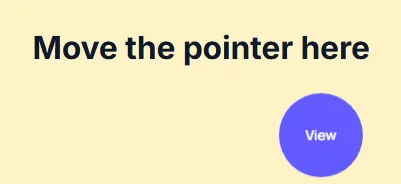
Table of contents
What does Custom Cursor do?
Add trailing, a reaction over links and buttons (grow, shrink, fill, hide) and a squeeze on click. Touch screens are unaffected, and the script loads only on pages that use it.
Custom Cursor is an extension: it adds settings to Elementor's own elements instead of adding a new widget. Turn it on or off for the whole site under MoxKit > Extensions.
Features
- Cursor types: browser cursor, dot, ring, outline, blend, glow, text, image.
- 16 browser cursors such as pointer, grab, crosshair, zoom-in.
- Hide the normal cursor, trailing (smoothness), link and button reaction, squeeze on click.
- Size, colors, ring thickness, blend mode and bubble typography.
- Ignored on touch screens.
How to use the Elementor custom cursor
- Enable Custom Cursor under MoxKit > Extensions.
- Select a Container and open Advanced > Custom Cursor.
- Turn on Enable custom cursor and choose the cursor type.
- Set the size and colors in the Look section.
- Click Update to save the page.
Custom Cursor settings
All settings live in Container > Advanced > Custom Cursor.
| Setting | Type | Options and notes |
|---|---|---|
| Enable custom cursor | Toggle | On / Off |
| Cursor | Select | Browser cursor, Dot, Ring + dot (trailing ring), Ring only, Blend circle (inverts colors), Spotlight glow, Text bubble, Image (default: Ring + dot (trailing ring)) |
| Browser cursor | Select | Pointer (hand), Grab, Grabbing, Crosshair, Zoom in, Zoom out, Move, Scroll all directions, Resize left/right, Resize up/down, Help, Context menu, Cell, Copy, Text, Progress, Wait, Not allowed, … (default: Pointer (hand)) |
| Bubble text | Text | |
| Image | Image | |
| Hide the normal cursor | Toggle | On / Off (default: On) |
| Trailing | Slider | 0 follows the pointer exactly; higher values glide behind it. |
| Over links & buttons (hover) | Select | Grow, Shrink, Fill, Hide and show the normal cursor, No change (default: Grow) |
| Squeeze on click | Toggle | On / Off (default: On) |
| Look | ||
| Size per device | Slider | Empty = a size that suits the chosen cursor. |
| Color | Color | |
| Second color | Color | Ring + dot: the dot. Text bubble: the text. |
| Ring thickness | Slider | |
| Blend mode | Select | Default for this cursor, Normal, Difference (invert), Exclusion, Multiply, Screen, Overlay |
| Typography | Group | All the usual Elementor typography settings. |
Cursor types explained
Browser cursor uses a built-in cursor such as a hand or crosshair. Dot is a small solid dot; Ring is a circle that trails behind the pointer; Outline is a thin ring; Blend is a circle with a blend mode that inverts what is under it; Glow is a soft spotlight; Text is a bubble with a word such as "View"; Image follows the pointer with your own picture.
Accessibility
The normal cursor is hidden only when you turn on Hide the normal cursor, and only over that Container. Keyboard users are not affected, and touch devices ignore the effect completely.
Tips
- Use the text bubble ("View", "Play", "Drag") over galleries and sliders.
- Apply it to one section rather than the whole page to keep navigation familiar.
Summary
The Elementor custom cursor comes free with MoxKit Addons for Elementor. Switch it on under MoxKit > Extensions, open Container > Advanced > Custom Cursor and pick the options described above. It works with the free version of Elementor.
Custom Cursor FAQ
Does it work on phones?
Touch screens have no pointer, so they are unaffected.
Can I use my own image?
Yes. Choose the Image type and upload an image.
Can different sections have different cursors?
Yes. Each Container has its own Custom Cursor settings, so a gallery can show a "View" bubble while the rest of the page keeps the normal cursor.
Does the cursor work in the Elementor editor?
Yes. It follows the pointer across the whole Container in the editor preview, so you can check it while you design.